BestCrypt Data Shelter on Client Computers
The Enterprise Edition of BestCrypt Data Shelter runs on managed client computers and enforces the protection policies assigned from Jetico Central Manager.
Where protection is enforced
Jetico Central Manager is used to create, assign, and distribute protection policies.
Protection itself is enforced locally by BestCrypt Data Shelter on each client computer. After a policy is assigned in JCM, the client software receives the configuration and applies it to the protected folders on that computer.
This means that access decisions are made on the client computer, according to the policy received from JCM.
What local users can do
In a centrally managed environment, local users can usually view Data Shelter settings but cannot change them. Policy configuration is controlled from JCM unless the administrator explicitly enables local editing for a selected computer.
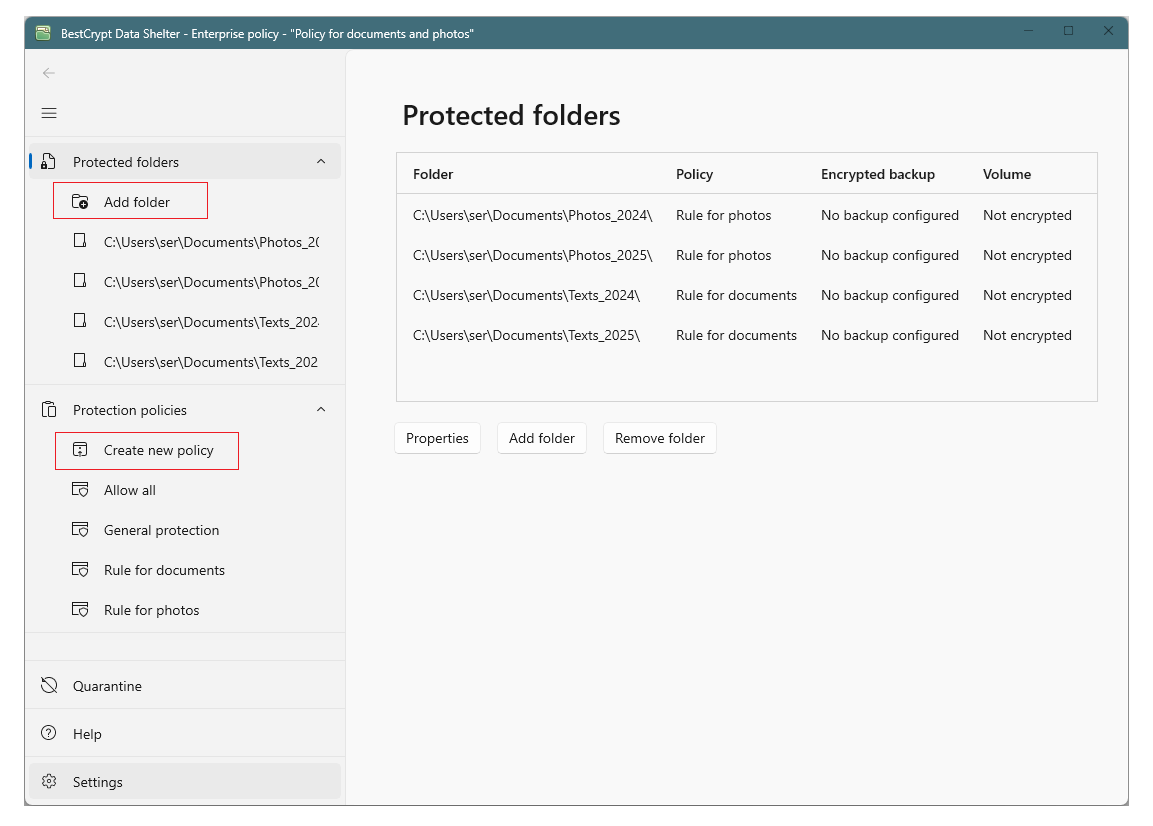
Local policy representation
BestCrypt Data Shelter stores the applied configuration locally on the client computer.
When a Global Policy from JCM is applied to a computer, the client software adapts it to the local environment. For example, generalized folder paths from JCM are resolved into actual local folder paths on that computer.
The client computer can send its current Data Shelter configuration back to JCM. This allows administrators to review how the policy is applied and, when needed, import local rules or the full local configuration.
For computer-level controls, see Managing BestCrypt Data Shelter on Individual Computers.
Local policy editing
Local policy editing is controlled by the Allow policy editing option on the computer page in JCM.
When this option is disabled, the computer follows the policy assigned from JCM.
When this option is enabled, a local administrator can create or change Data Shelter settings directly on the client computer. This is typically used when preparing a configuration that will later be imported into JCM.
For that workflow, see Importing a Policy from a Client Computer.
Standalone client user guide
For detailed instructions on using the BestCrypt Data Shelter client interface, see the standalone BestCrypt Data Shelter User Guide
Related articles
Managing Data Shelter on an Individual Computer